Agents
Choose the runner
Start Claude Code, Codex CLI, Gemini CLI, or OpenCode with the same ax workflow.

Run Claude Code, Codex CLI, Gemini CLI, and OpenCode in parallel git worktrees, then monitor, resume, inspect, and clean up every session from one terminal workflow.
brew tap jedipunkz/ax && brew install ax 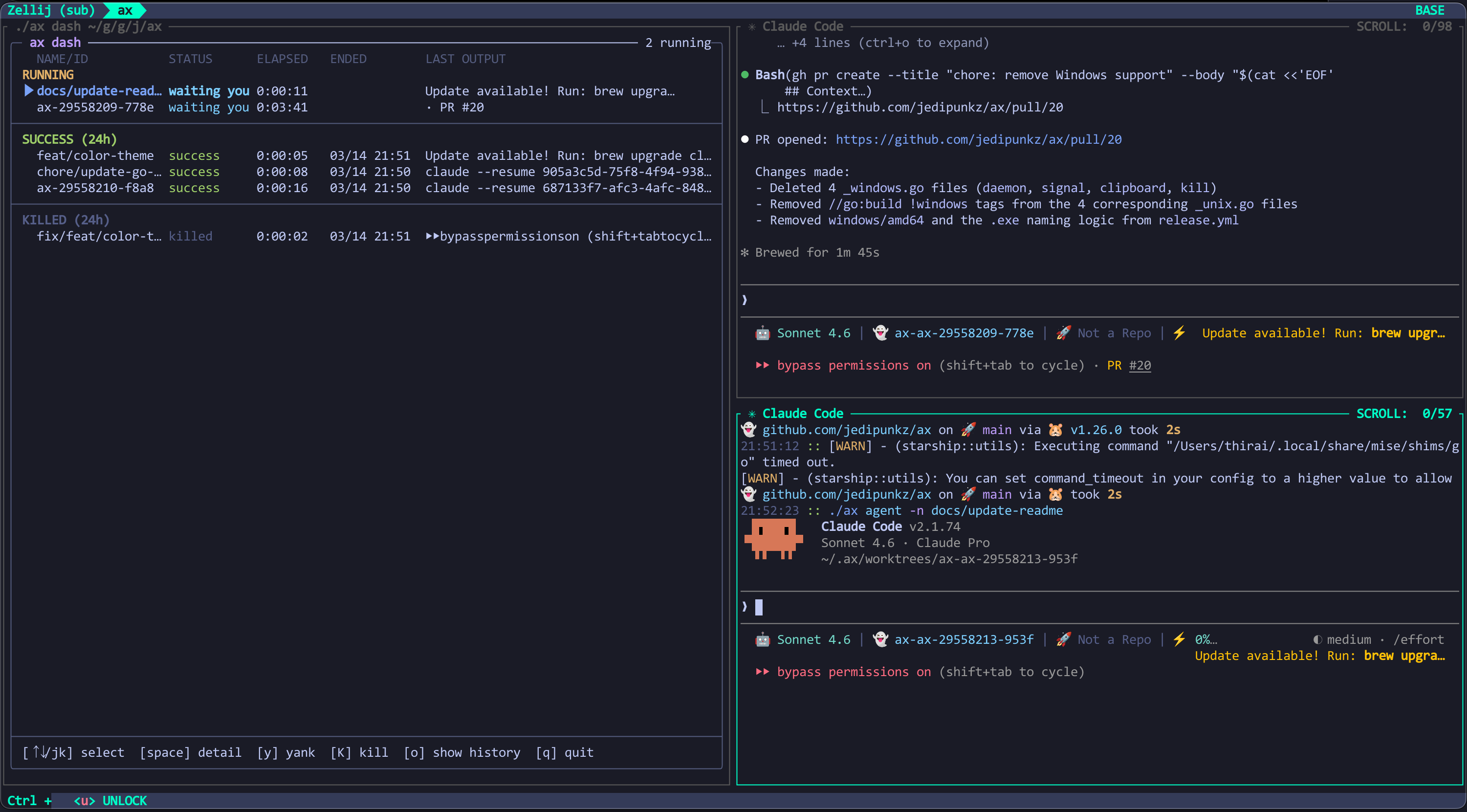
Agents
Start Claude Code, Codex CLI, Gemini CLI, or OpenCode with the same ax workflow.
Worktrees
Each session gets its own git worktree and ax/<id> branch under ~/.ax/worktrees.
Dashboard
Use ax dash to monitor running, waiting, successful, failed, and killed agents from one terminal.
Control
Resume sessions by name or ID, change into their worktrees, and send input when an agent is waiting.
Logs
Dump stripped logs or follow live output from any terminal while the daemon streams updates.
Cleanup
Remove finished sessions manually or let the dashboard clean old worktrees on a configured schedule.
Quick start
1. Start in a repo
cd /path/to/repo && ax agent new ax detects the current git repository and creates an isolated worktree for the new agent.
2. Pick an agent
ax agent new -a codex -n feat/foo Claude Code is the default; use -a for Codex, Gemini, or OpenCode and -n to name the branch.
3. Watch the work
ax dash Open the dashboard to inspect status, search sessions, copy worktree paths, and kill stuck agents.
4. Follow logs
ax agent logs -f -n <name|id> Stream agent output from any terminal, or omit -f to dump the full stripped log.
5. Wait or answer
ax agent wait -n <name|id> Block scripts until a session exits or pauses, then use ax agent input when it is waiting.
6. Resume or clean up
ax agent resume -n feat/foo Resume previous sessions, cd into their worktrees, list them, or remove finished work when done.
Session state, logs, and worktrees live under ~/.ax/.
Configure dashboard themes, finished-session retention, and automatic worktree cleanup in ~/.ax/ax.yaml.
Install
Install ax with Homebrew on macOS or Linux, then run it inside any git repository.
brew tap jedipunkz/ax && brew install ax